forked from enviPath/enviPy

90 lines
2.3 KiB
Markdown
90 lines
2.3 KiB
Markdown
Resemble.js
|
|
==========
|
|
|
|
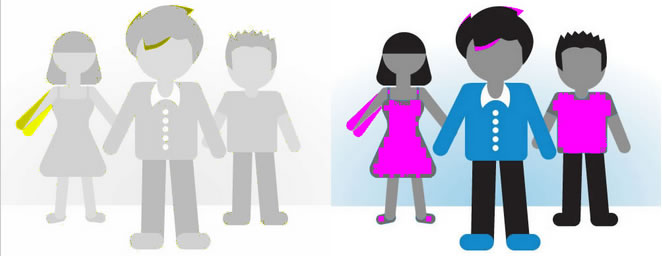
Analyse and compare images with Javascript and HTML5. [More info & Resemble.js Demo](http://huddle.github.com/Resemble.js/). If you need NodeJS support, take a look at [node-resemble](https://github.com/ddo/node-resemble) or [node-resemble-v2](https://github.com/peter-mouland/node-resemble-v2).
|
|
|
|
|
|
|
|
### Get it
|
|
|
|
`npm install resemblejs`
|
|
|
|
`bower install resemblejs`
|
|
|
|
### Example
|
|
|
|
Retrieve basic analysis on image.
|
|
|
|
```javascript
|
|
var api = resemble(fileData).onComplete(function(data){
|
|
console.log(data);
|
|
/*
|
|
{
|
|
red: 255,
|
|
green: 255,
|
|
blue: 255,
|
|
brightness: 255
|
|
}
|
|
*/
|
|
});
|
|
```
|
|
|
|
Use resemble to compare two images.
|
|
|
|
```javascript
|
|
var diff = resemble(file).compareTo(file2).ignoreColors().onComplete(function(data){
|
|
console.log(data);
|
|
/*
|
|
{
|
|
misMatchPercentage : 100, // %
|
|
isSameDimensions: true, // or false
|
|
dimensionDifference: { width: 0, height: -1 }, // defined if dimensions are not the same
|
|
getImageDataUrl: function(){}
|
|
}
|
|
*/
|
|
});
|
|
```
|
|
|
|
Scale second image to dimensions of the first one:
|
|
```javascript
|
|
//diff.useOriginalSize();
|
|
diff.scaleToSameSize();
|
|
```
|
|
|
|
You can also change the comparison method after the first analysis.
|
|
|
|
```javascript
|
|
// diff.ignoreNothing();
|
|
// diff.ignoreColors();
|
|
diff.ignoreAntialiasing();
|
|
```
|
|
|
|
|
|
And change the output display style.
|
|
|
|
```javascript
|
|
resemble.outputSettings({
|
|
errorColor: {
|
|
red: 255,
|
|
green: 0,
|
|
blue: 255
|
|
},
|
|
errorType: 'movement',
|
|
transparency: 0.3,
|
|
largeImageThreshold: 1200,
|
|
useCrossOrigin: false
|
|
});
|
|
// resembleControl.repaint();
|
|
```
|
|
|
|
By default, the comparison algorithm skips pixels when the image width or height is larger than 1200 pixels. This is there to mitigate performance issues.
|
|
|
|
You can switch this modify this behaviour by setting the `largeImageThreshold` option to a different value. Set it to **0** to switch it off completely.
|
|
|
|
`useCrossOrigin` is true by default, you might need to set it to false if you're using [Data URIs](https://developer.mozilla.org/en-US/docs/Web/HTTP/Basics_of_HTTP/Data_URIs).
|
|
|
|
|
|
--------------------------------------
|
|
|
|
Created by [James Cryer](http://github.com/jamescryer) and the Huddle development team.
|